DJ Equipment for Home Use – How to Get Started Easily!
Having DJ equipment at home can be a fantastic experience, whether you’re a beginner or have been DJing for a while. With the right equipment, you can mix your favourite tracks, create your own beats, and have fun with friends. In this guide, we’ll go through what you need to get started and recommend great products for home use.
Table of Contents
- Introduction to DJ Equipment for Home Use
- Basic Components of DJ Equipment
- Popular Brands and Products for Beginners
- How to Choose the Right DJ Equipment for Home Use
- Tips for Getting Started with DJing at Home
- Where Can You Buy DJ Equipment for Home Use?
- Conclusion
- Common questions (FAQs)
- References
Key Takeaways
DJ equipment for home use includes mixers, headphones, speakers, and DJ software, giving you the ability to mix and create music at your own pace.
It’s important to set a budget and choose equipment that fits your needs and goals, with options from brands such as Pioneer DJ and Numark for beginners.
Having your own home studio gives you the freedom to practise and experiment with music without pressure, which is perfect for both beginners and more experienced DJs.
Using DJ software such as Rekordbox or Serato DJ Lite can help you learn the basics of mixing and beatmatching.
Buying second-hand equipment can be a cost-effective option, but make sure to purchase from reliable sources to avoid problems.
Introduction to DJ Equipment for Home Use
Vad är DJ-utrustning och varför använda den hemma?
DJ-utrustning är en samling verktyg som används för att mixa musik, skapa beats och framföra låtar på ett kreativt sätt. För hemmabruk kan det inkludera mixerbord, hörlurar, högtalare och ibland en dator med DJ-programvara. Att använda DJ-utrustning hemma är perfekt för dig som vill experimentera med musik, öva på dina färdigheter eller bara ha kul med vänner. Det är också ett bra sätt att börja din resa som DJ utan att behöva investera i dyra klubbutrustningar.
Fördelar med att ha en hemmastudio för DJ-ing
Att ha en egen hemmastudio ger dig friheten att öva när du vill och i din egen takt. Du kan experimentera med olika musikstilar och tekniker utan press. Dessutom är det kostnadseffektivt jämfört med att hyra studiotid eller utrustning. Med rätt verktyg, som Pioneer DJ DDJ-200 för nybörjare, kan du snabbt komma igång.
En annan fördel är att du kan använda programvara som Serato DJ Lite , or Rekordbox för att lära dig grunderna i mixning och beatmatching. Dessa program är användarvänliga och erbjuder guider för att hjälpa dig utvecklas.
Att bygga en hemmastudio är inte bara en investering i din passion för musik, utan också ett sätt att uttrycka din kreativitet och kanske till och med starta en karriär som DJ.
Basic Components of DJ Equipment
Mixerbord: Funktioner och populära modeller
Mixerbordet är hjärtat i varje DJ-setup. Det låter dig mixa olika ljudkällor, justera volymen och lägga till effekter. För hemmabruk är modeller som Pioneer DJM-250MK2 ett utmärkt val. Den erbjuder hög ljudkvalitet och enkla kontroller, perfekt för nybörjare. Ett annat alternativ är Numark M6 USB, som är prisvärd och har USB-anslutning för enkel integration med datorer.
När du väljer mixerbord, tänk på hur många kanaler du behöver och om du vill ha inbyggda effekter. För nybörjare räcker ofta ett tvåkanaligt mixerbord.
Hörlurar och deras betydelse för mixning
Bra hörlurar är avgörande för att höra detaljer i musiken och för att kunna förbereda nästa låt. Modeller som Shure SRH440 är populära tack vare sin ljudkvalitet och komfort. Ett annat alternativ är Pioneer HDJ-CUE1, som är prisvärda och designade för DJ-ing.
Se till att välja hörlurar med bra ljudisolering så att du kan fokusera på musiken även i bullriga miljöer.
Högtalare och ljudsystem för hemmabruk
För att njuta av din musik fullt ut behöver du ett bra ljudsystem. Aktiva högtalare som KRK Rokit 5 G4 är populära för hemmastudior. De är enkla att använda eftersom de har inbyggda förstärkare. Ett annat alternativ är Yamaha HS5, som erbjuder klart och balanserat ljud.
När du väljer högtalare, tänk på storleken på ditt rum och hur mycket kraft du behöver. För mindre rum räcker ofta mindre högtalare med lägre watt.
Popular Brands and Products for Beginners

Pioneer DJ: En favorit bland DJs
Pioneer DJ är ett av de mest välkända märkena inom DJ-utrustning och är ofta förstahandsvalet för både nybörjare och proffs. Deras produkter, som Pioneer DDJ-200, är enkla att använda och erbjuder hög kvalitet. DDJ-200 är en kompakt och prisvärd controller som fungerar perfekt med appar som Rekordbox och WeDJ. Den är idealisk för dig som vill börja mixa hemma utan att spendera för mycket.
Numark och deras prisvärda alternativ
Numark är känt för att erbjuda prisvärda och användarvänliga produkter för nybörjare. Ett populärt val är Numark Party Mix II, som har inbyggda ljuseffekter och är kompatibel med flera DJ-program. Den är perfekt för hemmabruk och mindre fester. Numark Mixtrack Platinum FX är ett annat alternativ som erbjuder fler funktioner för den som vill ta sitt DJ-ing till nästa nivå.
Andra märken att överväga: Shure, JB Systems, och mer
Förutom Pioneer och Numark finns det andra märken som erbjuder högkvalitativa produkter. Shure är känt för sina hörlurar och mikrofoner, som är perfekta för både mixning och liveframträdanden. JB Systems erbjuder prisvärda mixerbord och högtalare, som JB Systems MIX 6 USB, vilket är ett bra val för nybörjare.
Att välja rätt märke handlar om att hitta en balans mellan pris, funktioner och kvalitet. Utforska olika alternativ och välj det som passar dina behov och din budget bäst.
How to Choose the Right DJ Equipment for Home Use
Budget: Hur mycket bör du spendera?
Att sätta en budget är det första steget när du väljer DJ-utrustning. För nybörjare finns det prisvärda alternativ som Numark Party Mix II , or Pioneer DDJ-200, som båda erbjuder bra funktioner utan att spräcka banken. Om du har en större budget kan du överväga mer avancerade modeller som Pioneer DDJ-400, som ger fler funktioner och bättre byggkvalitet.
Tänk på att även inkludera kostnader för hörlurar, högtalare och eventuell programvara i din budget.
Behov och mål: Vad vill du uppnå?
Fundera på vad du vill uppnå med din DJ-utrustning. Om du bara vill mixa för skojs skull hemma, räcker det med en enkel controller och ett par bra hörlurar. Om du däremot planerar att spela på fester eller evenemang, kan det vara värt att investera i ett mer robust system med bättre ljudkvalitet, som Pioneer DDJ-FLX4.
Definiera dina mål och välj utrustning som matchar dina behov. Det gör det lättare att hitta rätt balans mellan pris och funktionalitet.
Kompatibilitet och framtida uppgraderingar
Se till att den utrustning du väljer är kompatibel med den programvara och de enheter du redan har. Många controllers, som Pioneer DDJ-200, fungerar med både datorer och smartphones, vilket gör dem flexibla och enkla att använda. Kontrollera också om utrustningen kan uppgraderas i framtiden, till exempel genom att lägga till fler kanaler eller externa effekter.
Att tänka långsiktigt kan spara pengar och göra det enklare att växa som DJ. Välj utrustning som kan anpassas efter dina framtida behov.
Tips for Getting Started with DJing at Home
Installera och konfigurera din utrustning
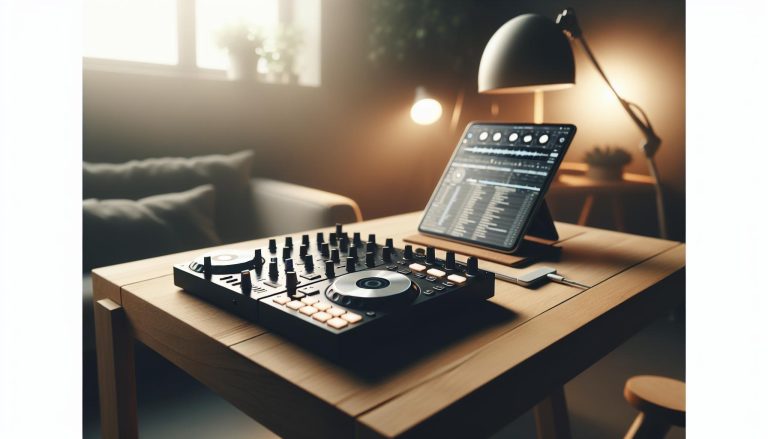
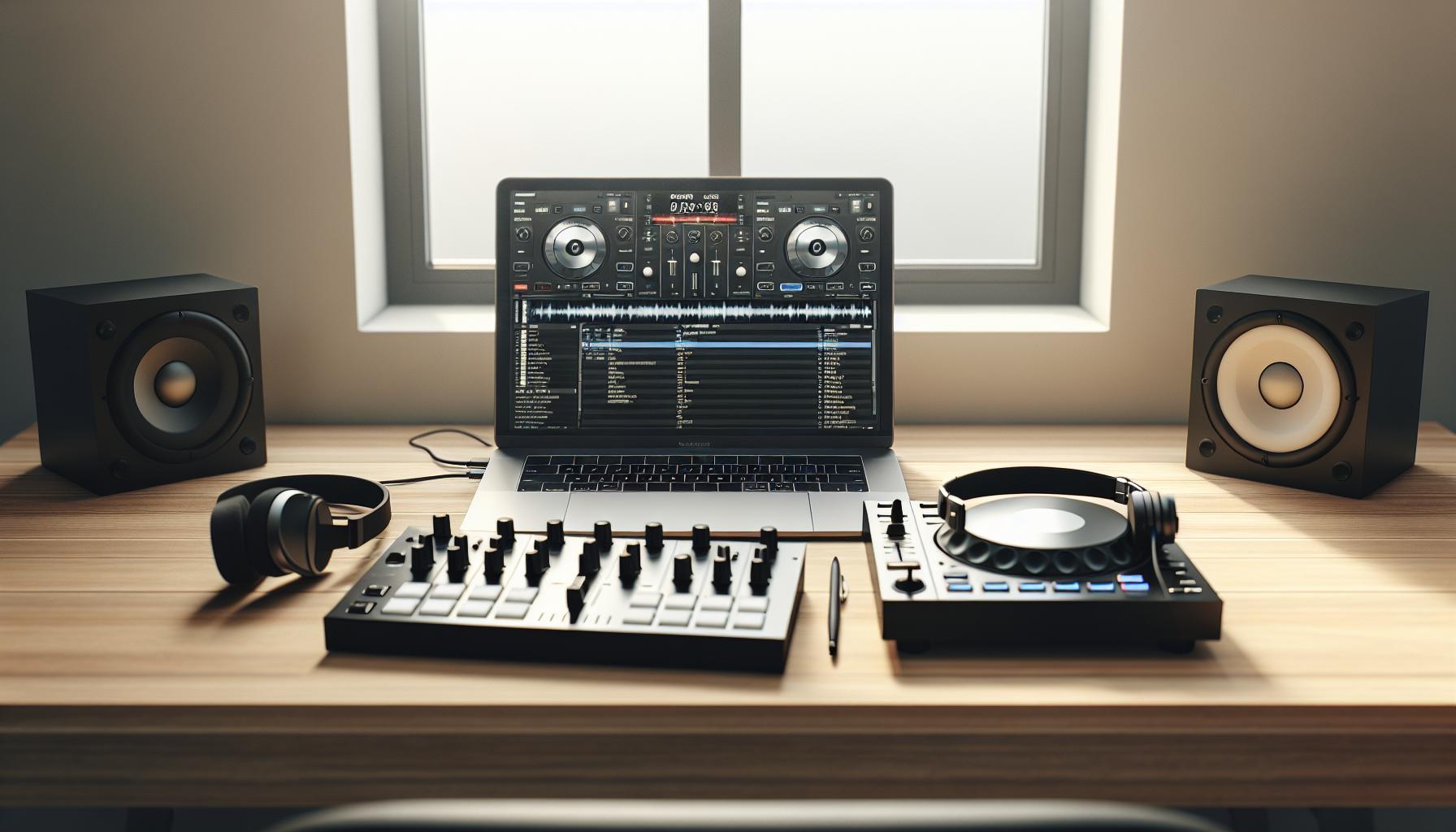
För att börja DJ:a hemma behöver du först installera och konfigurera din utrustning. Börja med att placera din controller, som Pioneer DDJ-200, på en stabil yta. Anslut den till din dator eller smartphone via USB eller Bluetooth, beroende på modell. Koppla sedan in hörlurar och högtalare för att säkerställa att du kan höra både förhandslyssning och det mixade ljudet.
Se till att ladda ner och installera kompatibel DJ-programvara, som Rekordbox , or Serato DJ Lite, för att få tillgång till alla funktioner.
Grundläggande tekniker för mixning och beatmatching
När din utrustning är redo är det dags att lära dig grunderna i mixning. Börja med att förstå hur du använder volymreglage, EQ och crossfader på din controller. Öva på att övergå mellan två låtar genom att matcha deras BPM (beats per minute). Många controllers, som Numark Party Mix II, har inbyggda funktioner för att hjälpa dig med beatmatching.
Ett tips är att börja med låtar som har liknande tempo och struktur för att göra det enklare att mixa.
Användning av DJ-programvara för hemmabruk
DJ-programvara är en viktig del av din setup. Program som Rekordbox och Serato DJ Lite erbjuder användarvänliga gränssnitt och funktioner som hjälper dig att organisera din musik, skapa spellistor och lägga till effekter. Börja med att importera dina favoritlåtar och experimentera med loopar och filter.
Många program har också inbyggda tutorials som kan hjälpa dig att snabbt komma igång. Utforska dessa resurser för att förbättra dina färdigheter och få ut det mesta av din utrustning.
Where Can You Buy DJ Equipment for Home Use?
Onlinebutiker: Discostore, Totalljud.se och fler
Att köpa DJ-utrustning online är både smidigt och tidseffektivt. Butiker som Discostore erbjuder ett brett utbud av produkter, från controllers som Pioneer DDJ-200 till högtalare och hörlurar. En annan populär butik är Totalljud.se, där du kan hitta mixerbord som JB Systems MIX 6 USB och andra tillbehör. Dessa butiker har ofta detaljerade produktbeskrivningar och recensioner som hjälper dig att göra rätt val.
Onlinebutiker erbjuder också fördelar som snabba leveranser och kampanjer, vilket gör det enkelt att hitta utrustning som passar din budget.
Fysiska butiker och uthyrningstjänster
Om du föredrar att testa utrustningen innan du köper kan du besöka fysiska butiker. Många musikaffärer har ett urval av DJ-utrustning som du kan prova på plats. Dessutom erbjuder vissa uthyrningstjänster, som Österlen Uthyrning, möjligheten att hyra utrustning som mixerbord och högtalare. Detta är ett bra alternativ om du vill testa olika produkter innan du investerar i din egen setup.
Att besöka en fysisk butik ger dig också chansen att få expertråd och tips från personalen.
Fördelar med att köpa begagnad utrustning
Att köpa begagnad DJ-utrustning kan vara ett kostnadseffektivt alternativ, särskilt om du har en begränsad budget. Plattformar som Blocket och Facebook Marketplace är bra ställen att leta efter begagnade controllers, högtalare och hörlurar. Se till att inspektera utrustningen noggrant och fråga säljaren om dess skick och användning.
Begagnad utrustning kan vara ett utmärkt sätt att komma igång utan att spendera för mycket, men var noga med att köpa från pålitliga säljare för att undvika problem.
Conclusion
Att sätta upp en DJ-station för hemmabruk kan vara både spännande och givande, oavsett om du är nybörjare eller en erfaren DJ som vill öva hemma. I den här guiden har vi gått igenom de grundläggande komponenterna du behöver, som mixerbord, hörlurar och högtalare, samt hur du väljer rätt utrustning baserat på din budget och dina mål. Vi har också delat tips om hur du kan komma igång med mixning och använda DJ-programvara för att förbättra dina färdigheter.
En av de viktigaste insikterna är att det inte krävs en enorm budget för att börja. Det finns prisvärda alternativ från märken som Numark och Pioneer DJ, och du kan även överväga begagnad utrustning för att spara pengar. Det viktigaste är att välja utrustning som passar dina behov och som kan växa med dig när du utvecklas som DJ.
Om du är baserad i Stockholm och vill ta din DJ-ing till nästa nivå, kan du också överväga att samarbeta med en erfaren venue DJ. Introduce är en professionell DJ i Stockholm som kan hjälpa dig med allt från att förstå utrustning till att finslipa dina mixningstekniker. Att få vägledning från en expert kan göra stor skillnad, särskilt om du vill förvandla din passion till en karriär.
Nu när du har en bättre förståelse för vad som krävs, är det dags att börja bygga din hemmastudio och utforska världen av DJ-ing. Lycka till, och låt musiken flöda!